BakerOS Features

Everything behind your baking business, connected.

Explore the real BakerOS workflow—from customer orders and production planning to pricing, inventory, payments and your storefront.

See the actual system

Built around the way a home bakery really runs.

No stock mockups. These are real BakerOS screens working together—from the moment an order comes in through production and pickup.

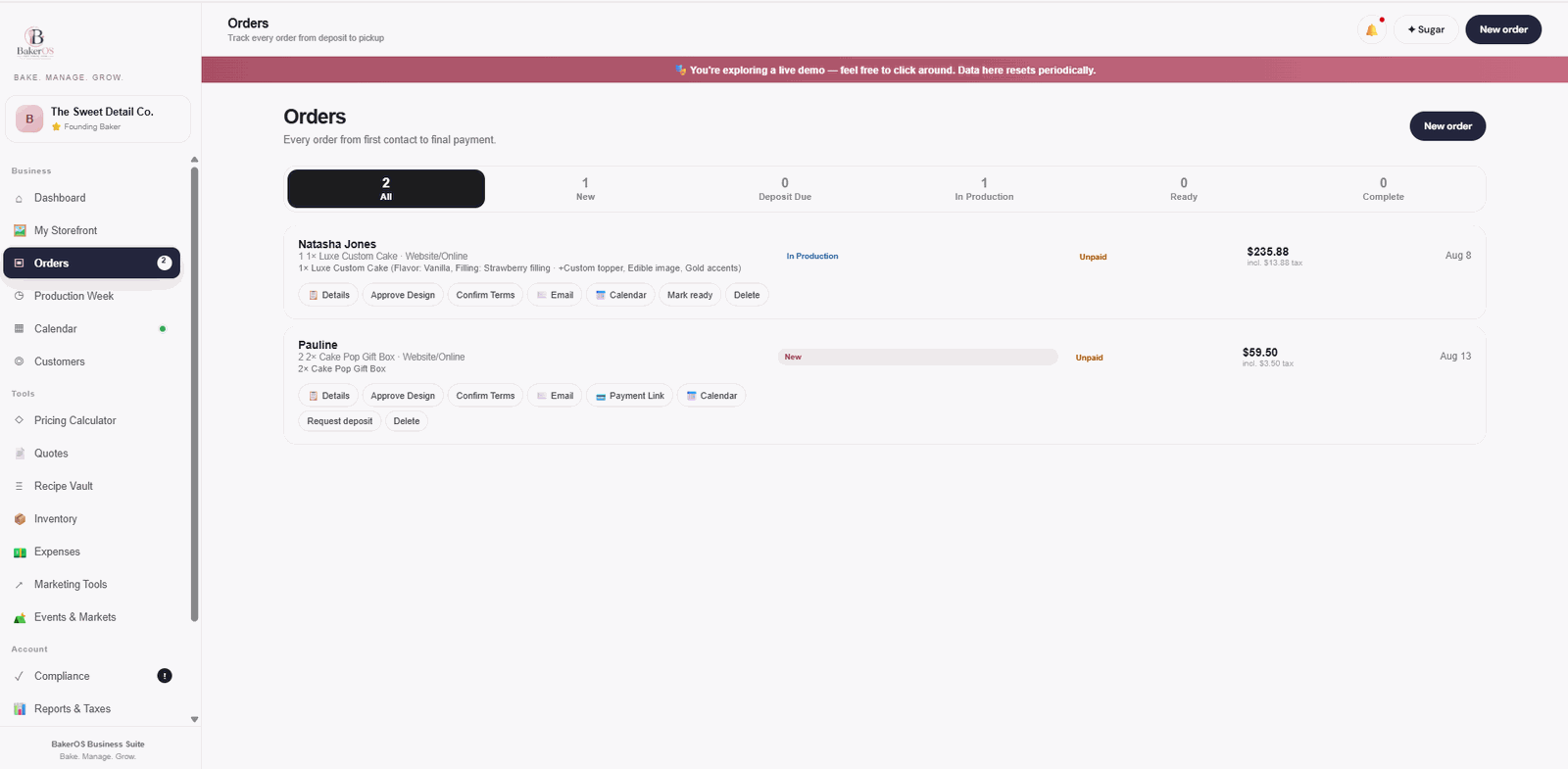
Orders

Every order, from first contact to final payment.

See customer details, products, payment status, due dates and the next action without digging through texts, DMs or spreadsheets.

Track deposits, balances and fulfillment status.
Send payment links, email customers and move orders into production.
Send confirmed dates directly to your connected Google Calendar.
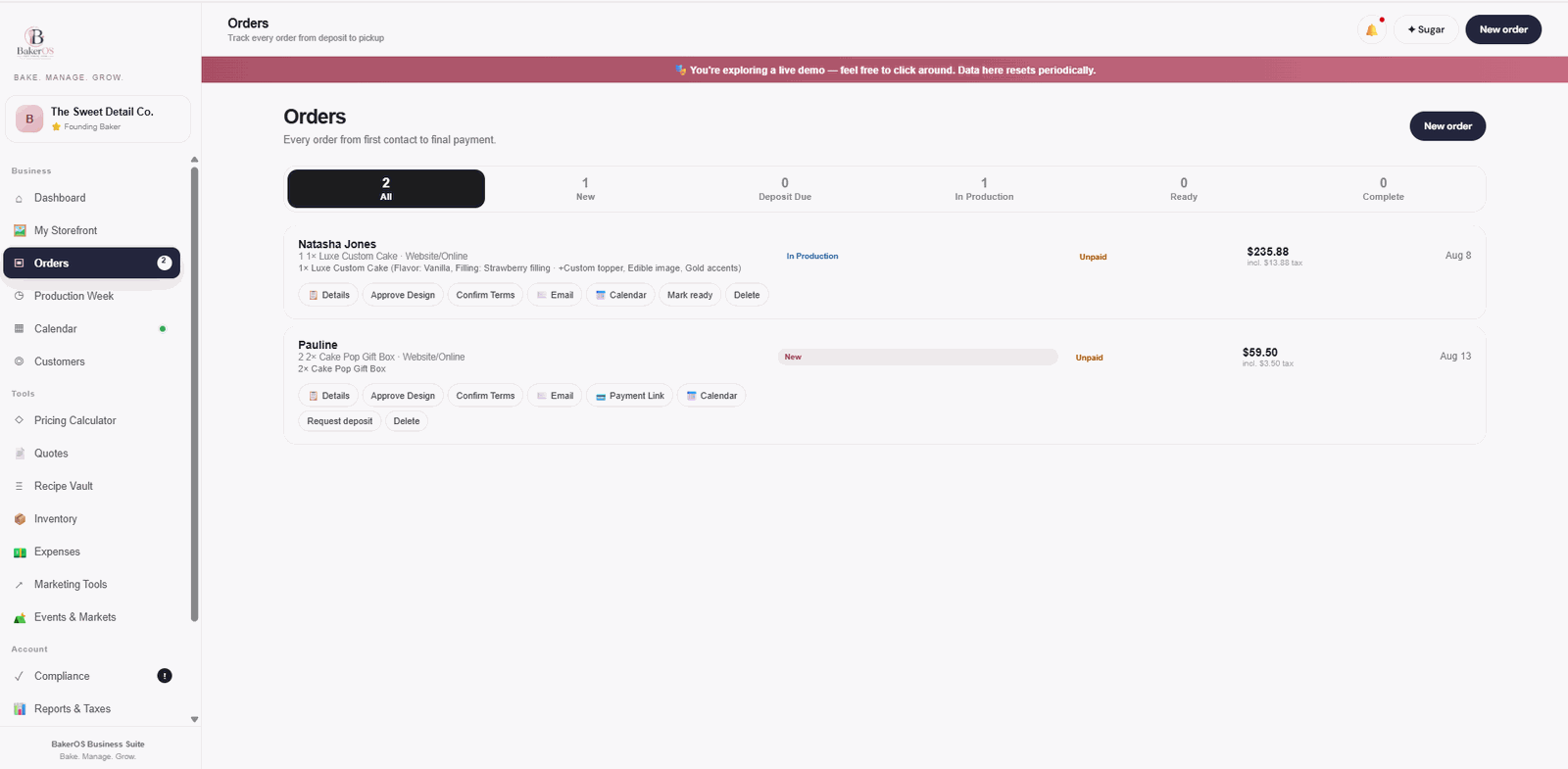
BakerOS · Orders
BakerOS Orders screen
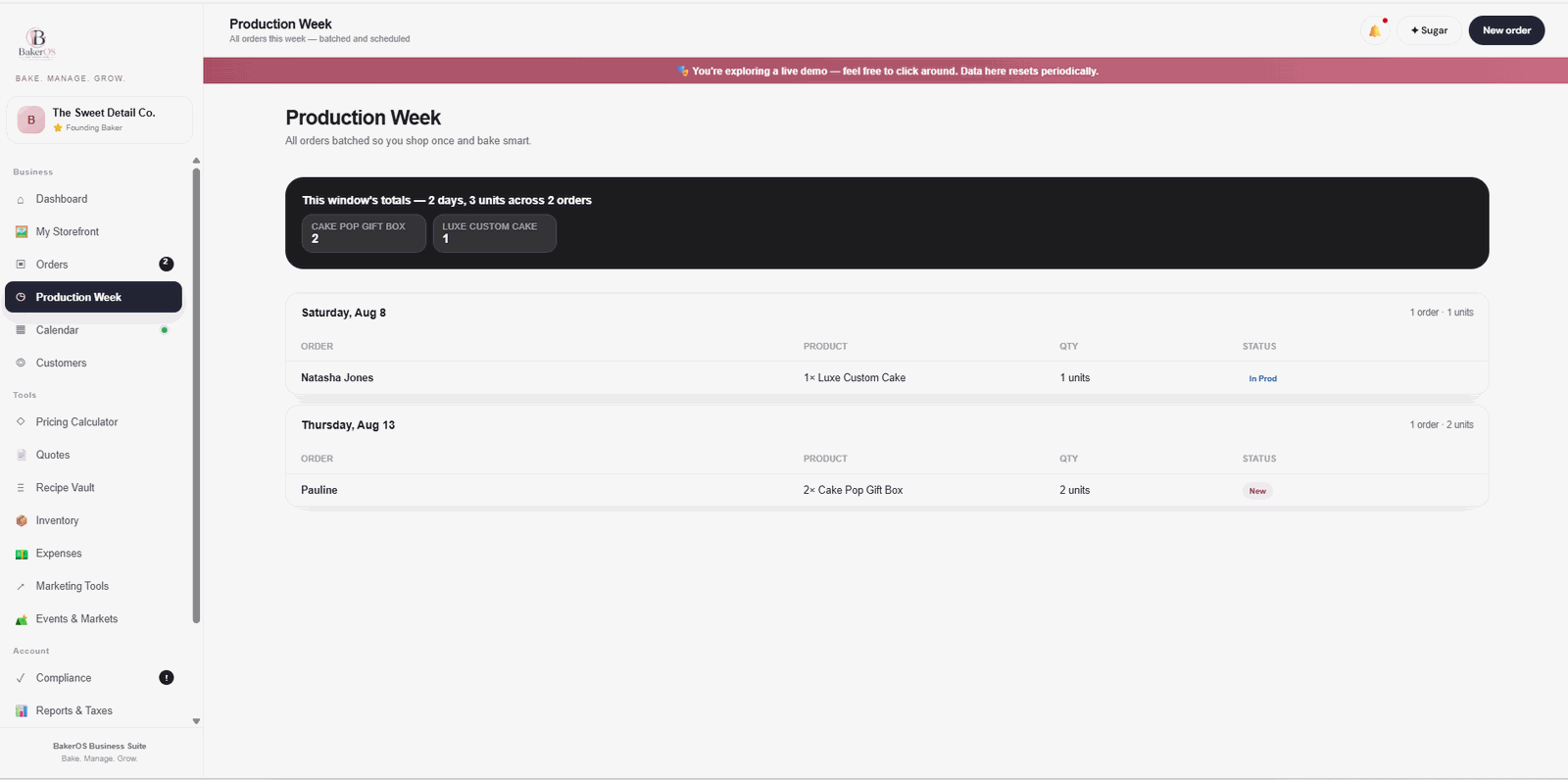
Production Week

Know exactly what you need to make this week.

BakerOS turns confirmed orders into a clean production view so you can batch work, see quantities and plan before bake week becomes chaos.

Group work by due date and product.
See weekly totals across all active orders.
Keep order status visible while you produce.
BakerOS · Production Week
BakerOS Production Week screen
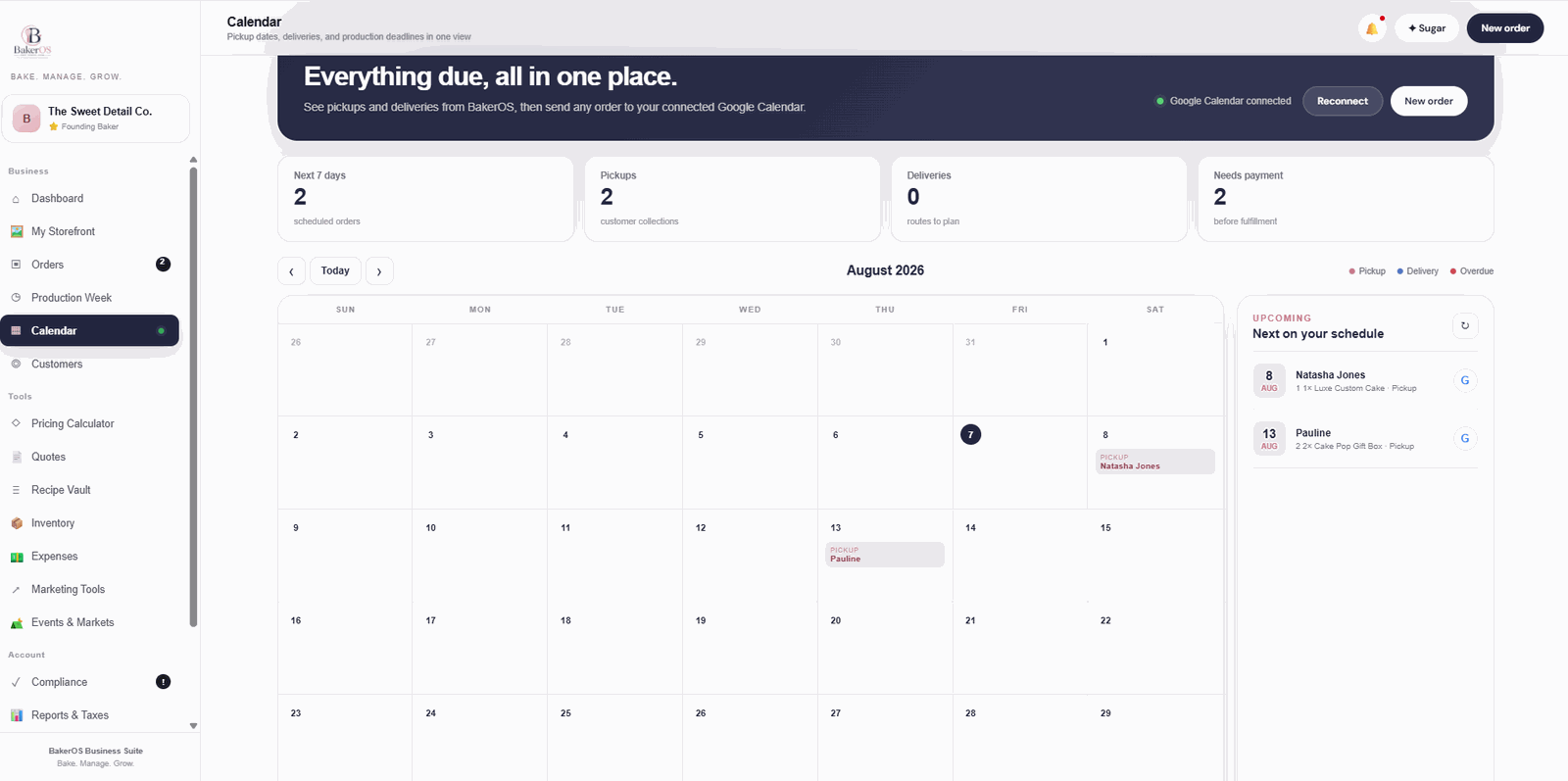
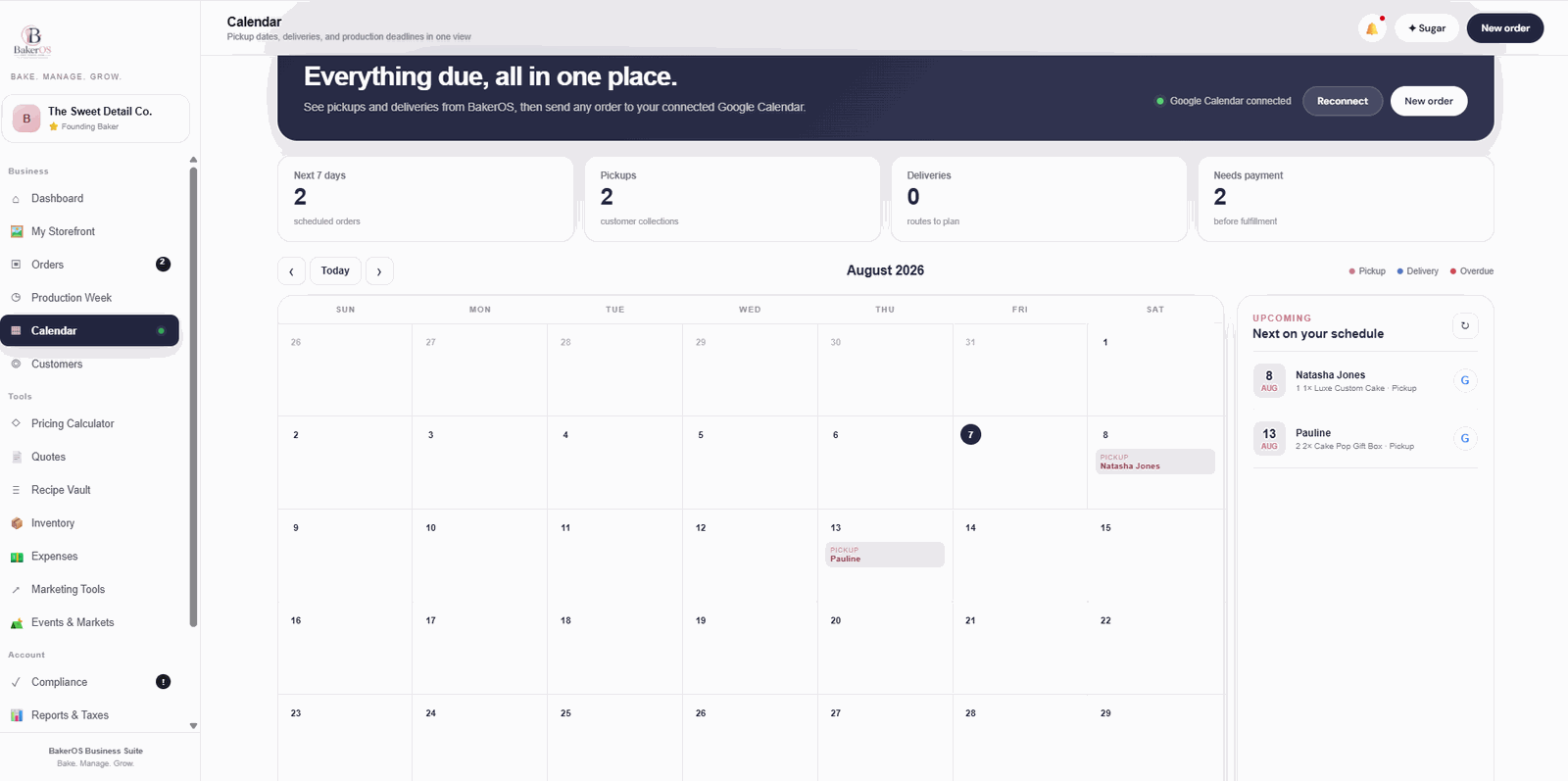
Calendar + Google Calendar

Everything due, all in one place.

See pickups and deliveries inside BakerOS, then send individual orders to the baker's connected Google Calendar when they need them there too.

Monthly view of pickups, deliveries and overdue work.
Upcoming-order agenda beside the calendar.
Google Calendar connection stays built into the workflow.
BakerOS · Calendar
BakerOS Calendar screen with Google Calendar connected
See the actual system

Your bakery business, visible from every angle.

No concept screens and no generic software mockups. These are real BakerOS workspaces built to help home bakers know what is ordered, what is due, what needs to be made and what happens next.

Orders

Every order from first contact to final pickup.

Keep customer details, products, payment status, production status and pickup dates together instead of piecing the order back together from messages.

See new, unpaid, in-production, ready and completed orders at a glance.
Send payment links, confirm terms and move orders into production from one screen.
Send individual orders to your connected Google Calendar.
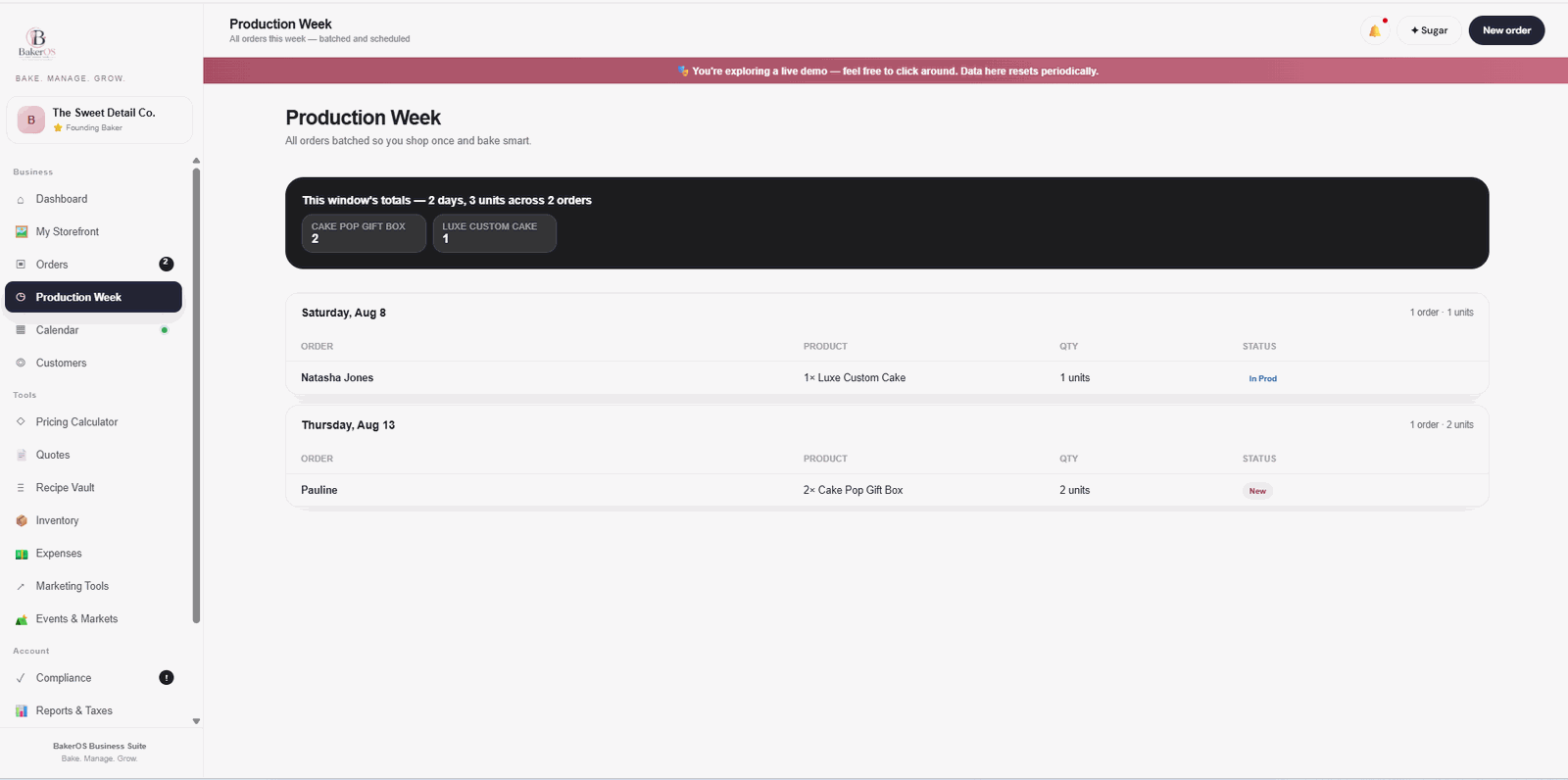
BakerOS · Orders
BakerOS Orders workspace
Actual Orders workspace from the BakerOS live demo.
Production Week

Know exactly what you need to make this week.

Confirmed orders are organized by due date so the baker can see the week's workload without building a separate production spreadsheet.

See total units and orders across the production window.
Group work by due date and product for a cleaner bake schedule.
Track production status without leaving the system.
BakerOS · Production Week
BakerOS Production Week workspace
Actual Production Week workspace from the BakerOS live demo.
Google Calendar connected

Everything due, all in one place.

See BakerOS pickup and delivery dates in a dedicated bakery calendar, then send orders to the baker's connected Google Calendar when they want them there.

Monthly view for pickups, deliveries and overdue work.
Upcoming schedule panel keeps the next commitments visible.
Google Calendar integration stays connected to the order workflow.
BakerOS · Calendar
BakerOS Calendar workspace with Google Calendar connected
Actual Calendar workspace showing the Google Calendar connection.
Meet your built-in bakery business assistant

Meet Sugar AI.

Sugar is built into BakerOS to help you think through pricing, production, scheduling, inventory, customer follow-up, and the everyday decisions behind running a growing bakery business.

PricingWork through costs and profitable pricing.
ProductionTurn busy order weeks into a workable plan.
InventorySpot likely shortages before bake week.
SupportGet help using BakerOS while you work.
Sugar AI, BakerOS bakery business assistant
No signup required

Do not just read about it. Open BakerOS and use it.

Navigate the live demo and explore the actual workflow, tools and features before deciding whether BakerOS fits your business.

Try the Live Demo →

Want to see how it feels with your own workflow in mind?

Explore the full demo, then choose monthly or annual BakerOS when you are ready.